The HA Sysadmin's Dilemma No-Reboot Zone Security Officer: “A critical CVSS 9.8 vulnerability was found in the kernel network stack! We must reboot all 12 HA Debian nodes immediately!”
HA Cluster Engineer: “If I reboot Node 01 right now, Pacemaker will migration-fence Node 02, 14,000 active WebSocket streams will die, and the database cluster will enter a split-brain existential crisis. I will patch it live or die trying.”
Enter Linux Kernel Livepatching (klp): The black magic of hot-swapping kernel C code in RAM without dropping a single packet or restarting a system service.
Picture this: It’s 2:15 PM on a Friday. You are monitoring your pristine 4-node Debian High Availability cluster handling live production traffic. You’re sitting back, enjoying a cold iced tea, when a red banner flashes across your terminal:
[ CRITICAL SECURITY ALERT ] CVE-2026-9999: Remote Code Execution in kernel net/ipv4/ [ MITIGATION REQUIRED ] Upgrade kernel vmlinuz or apply patch immediately. In a non-HA world, you run sudo apt upgrade && sudo reboot, stretch your legs, and wait three minutes.
In a Debian HA world (think Corosync, Pacemaker, Proxmox VE clusters, or high-throughput Docker/K8s ingress nodes), typing reboot is equivalent to pulling the pin on a flashbang in a quiet library. Corosync heartbeats miss a pulse, quorum timers panic, Virtual IPs start bouncing around like ping-pong balls, and three regional database replicas begin arguing over who is the real primary master.
So how do you fix a gaping hole in the operating system’s brain without shutting it off?
You perform open-heart surgery at 120 MPH. Welcome to Kernel Livepatching (klp).
The 30-Second Maintenance Promise TL;DR Worried that updating your Debian 13 client will take all weekend?
Keeping your workstation or server patched is literally a 2-command affair:
sudo apt update && sudo apt install linux-image-amd64 && sudo reboot That’s it! Read on to learn how to check your exact kernel version and verify your system against official security tracker records in under two minutes.
Lazy sysadmin tip: Want your machine to fetch security patches automatically while you sleep? Check out the official guide on setting up Debian UnattendedUpgrades.
It is a quiet Sunday morning. Your Night-Tower homelab is idling gracefully, CPU temperatures are at a cool 32°C, and you are admiring a pristine 214-day uptime counter on your primary Debian host. You take a triumphant sip of warm coffee, open your browser, and glance at the security security tracker.
Then it hits you like a rogue DMA packet: a flurry of CVE security fixes just dropped for Debian 13 (Trixie) in kernel package linux-image-6.12.100+deb13-amd64.
[ ALERT ] CVE-2026-XXXX: Local Privilege Escalation via obscure subsystem [ ALERT ] CVE-2026-YYYY: Out-of-bounds memory write when handling malformed packets [ STATUS ] Fixed in linux version 6.12.100+deb13-1 Suddenly, your beloved uptime counter feels less like a badge of honor and more like an open invitation to cosmic chaos. But don’t panic! Upgrading your kernel and double-checking your security status against Debian’s official security tracker is quick, painless, and completely survival-approved.
Here is your ultra-simple, funny survival guide to staying secure on Debian 13 Trixie.
It is 11:42 PM on a Sunday. Your homelab is purring softly. The Grafana dashboards are all green, Plex is transcoding smoothly for your cousin in Ohio, and your local DNS is resolving ad-free at blistering speeds. You take a satisfying sip of tea and open HackerNews for a quick nightcap.
Then you see it.
“Show HN: Minor Telemetry Edge-Case Found in [Your Current VPN’s] Key Exchange Protocol”
Panic sets in. Your heart rate spikes to 140 BPM. Your teeth chatter. Within four minutes, you have opened a terminal, SSH’d into your core router, deleted your configuration files, and embarked on a full 3 AM infrastructure rewrite—leaving your spouse entirely unable to watch The Office on local Wi-Fi.
Welcome to the Great Homelab Mesh VPN Paranoia.
You can spend three weeks configuring strict VLAN isolation, 802.1X authentication, and enterprise-grade firewall rules. You can lock down every port, block every suspicious domain, and write a 40-page security compliance handbook.
And yet, within twenty minutes of going live, a user will plug in a “smart toaster” with 2012 firmware, click a blinking banner ad promising “Free RAM Download (100% Legit)”, and walk your entire network straight into every security hole known to modern computing.
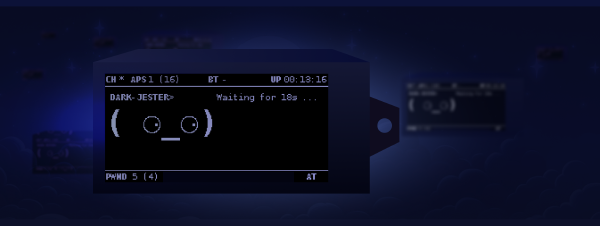
Portable hacking gadgets are having a massive moment, and if you loved the cyber-companion vibes of the Pwnagotchi, it is time to meet its network-probing successor.
Enter Ragnar (by developer PierreGode)—a fully autonomous, network-scanning, service-mapping, wardriving powerhouse built for the Raspberry Pi and paired with a high-contrast Waveshare e-paper display.
Who says red teaming has to be expensive? If you can’t afford a massive enterprise-grade security audit, you can build a portable, pocket-sized offensive companion that runs on a standard 5V USB port.
If you have ever wanted a Tamagotchi-like digital pet that feeds on WPA handshakes instead of virtual snacks, you need a Pwnagotchi. After losing my first one on a bus somewhere, I decided it was time to build a replacement.
When was the last time you checked what was actually happening inside your local network? After losing my Pwnagotchi on a bus somewhere (doing its own business, I’m sure), I decided it was time to deploy a Netgotchi.
When corporate security failures occur, it is rarely because the solutions are too expensive. It is usually because organizations fail to adopt the basic, simple workflows that protect their developers—like proper SSH key management.