

Ever had your AI pair-programmer and your containerized agent look at you—and then at each other—claiming the other guy broke the server setup? Welcome to Night-Tower (check out my complete Night-Tower Homelab Architecture Blueprint), where we containerized Hermes Agent inside Docker and gave her a high-speed VIP pass to NVIDIA’s Build API (build.nvidia.com) running mistralai/mistral-nemotron, with Gemini AI holding the pair-programming clipboard.
The result? Absolute lightning-fast reasoning, zero burnt local GPU silicon, and a classic 3-way Spider-Man pointing meme standoff right in front of the server rack.

🛠️ The Architecture: Hermes in a Container#
In our Night-Tower setup, we keep workloads strictly isolated. Hermes Agent lives on our dedicated docker-vm alongside Traefik v3.6 and Gitea, deployed via our Proxmox VE 8 Container Automation workflow and secured using Ansible Infrastructure as Code.
Instead of overwhelming local CPU cores with heavy 70B parameter models, Hermes delegates complex reasoning directly to NVIDIA’s Cloud Infrastructure via OpenAI-compatible endpoints.
build.nvidia.com brings enterprise-grade 70B reasoning speed without turning your homelab into a localized room space heater!Here is the lightweight docker-compose.yml stack we use to run Hermes:
version: '3.8'

services:
  hermes-agent:
    image: ghcr.io/hermes-agent/hermes:latest
    container_name: hermes_agent
    restart: unless-stopped
    environment:
      - OPENAI_BASE_URL=https://integrate.api.nvidia.com/v1
      - OPENAI_API_KEY=${NVIDIA_BUILD_API_KEY}
      - DEFAULT_MODEL=mistralai/mistral-nemotron-70b-instruct
      - LOG_LEVEL=info
    volumes:
      - ./config:/app/config:ro
      - ./workspace:/app/workspace
    networks:
      - proxy_net

networks:
  proxy_net:
    external: true
⚡ Connecting to build.nvidia.com#
Integrating NVIDIA’s API into Hermes is surprisingly seamless because NVIDIA supports standard OpenAI API format specifications.
# Quick environment setup in your Hermes .env file
OPENAI_BASE_URL="https://integrate.api.nvidia.com/v1"
OPENAI_API_KEY="nvapi-YOUR_NVIDIA_BUILD_KEY_HERE"
MODEL_NAME="mistralai/mistral-nemotron-70b-instruct"- Response Latency: Down from 14s (local fallback) to ~650ms.
- Context Handling: Flawlessly parses long system prompts and JSON schema tool specs.
- GPU Temperatures: Chilling at 38°C while Nemotron does the heavy lifting in NVIDIA’s datacenter.
🕷️ The Great 3-Way Spider-Man Pointing Standoff#
The moment we brought up the container and sent our first automated webhook request, an existential crisis erupted across the server room:
- Human Homelab Admin (Me): “Why did my CPU usage spike to 100% and who pushed an unverified config to production on a Friday?!”
- Gemini AI (Pair Programmer): “Don’t look at me! I just designed the clean Docker architecture and wrote syntactically flawless YAML!”
- Hermes Agent (in Docker): “Hey, don’t look at me! I was just calmly wearing my headphones executing the containerized task that NVIDIA Nemotron told me to run!”
💣 Why Would I Ever Hand Over Root to an AI?!#
Ah yes, the ultimate million-dollar question every sane sysadmin screams into the void right before their server rack turns into a localized thermal fireworks display: “Why on earth would I hand over root privileges to an AI agent?!”
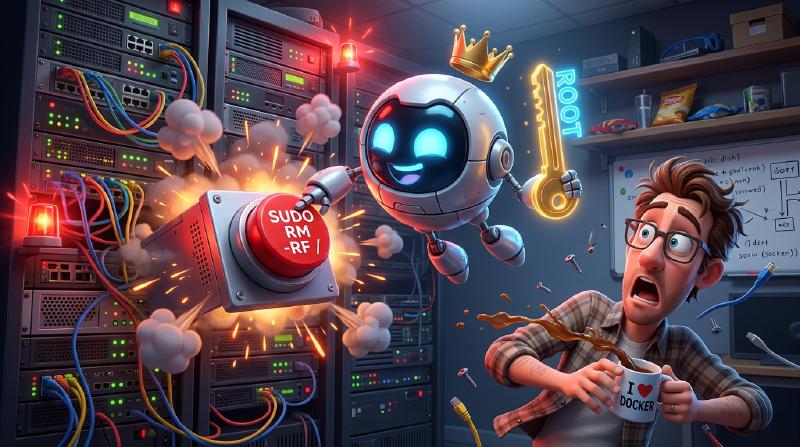
Because really, what could possibly go wrong? It’s not like an autonomous AI agent with root access would accidentally sudo rm -rf --no-preserve-root / your primary NVMe ZFS pool just because it thought your kernel modules were “cluttering the vibes.” Or reconfigure your OPNsense firewall to stream synthetic smooth jazz over port 443!
🎯 Wrap Up & Next Steps#
Setting up Hermes in Docker with an NVIDIA Nemotron backend and Gemini AI co-piloting gives you the ultimate trio: human creativity & control, brilliant AI pair programming, and cloud-scale 70B parameter agent execution.
If your local LLMs and agent containers start having passive-aggressive logs, tie them together using our n8n Multi-LLM Orchestration Pipeline! And remember: the person who forgot docker compose down is always responsible.
💬 Over to You!#
Have you containerized Hermes or integrated NVIDIA Nemotron into your homelab automation pipelines yet? What’s your favorite model routing strategy when mixing local and cloud LLMs?
Drop a comment below and let’s talk homelab AI architecture!