

We have all been there. It is 2:00 AM, you are staring at your terminal, and suddenly inspiration strikes: “I should write a 1,500-word blog post explaining DNS-over-HTTPS on Raspberry Pi!”
You write it down in your notes app… where it immediately joins 47 other genius thoughts in the digital graveyard of forgotten side projects.
Instead of letting my best homelab ideas collect dust, I decided to over-engineer a solution. I built a sleek custom Docker Web App hooked directly into a 2-Step n8n AI Pipeline that transforms raw shower thoughts into fully formatted Hugo Blowfish blog posts—with total human-in-the-loop control!
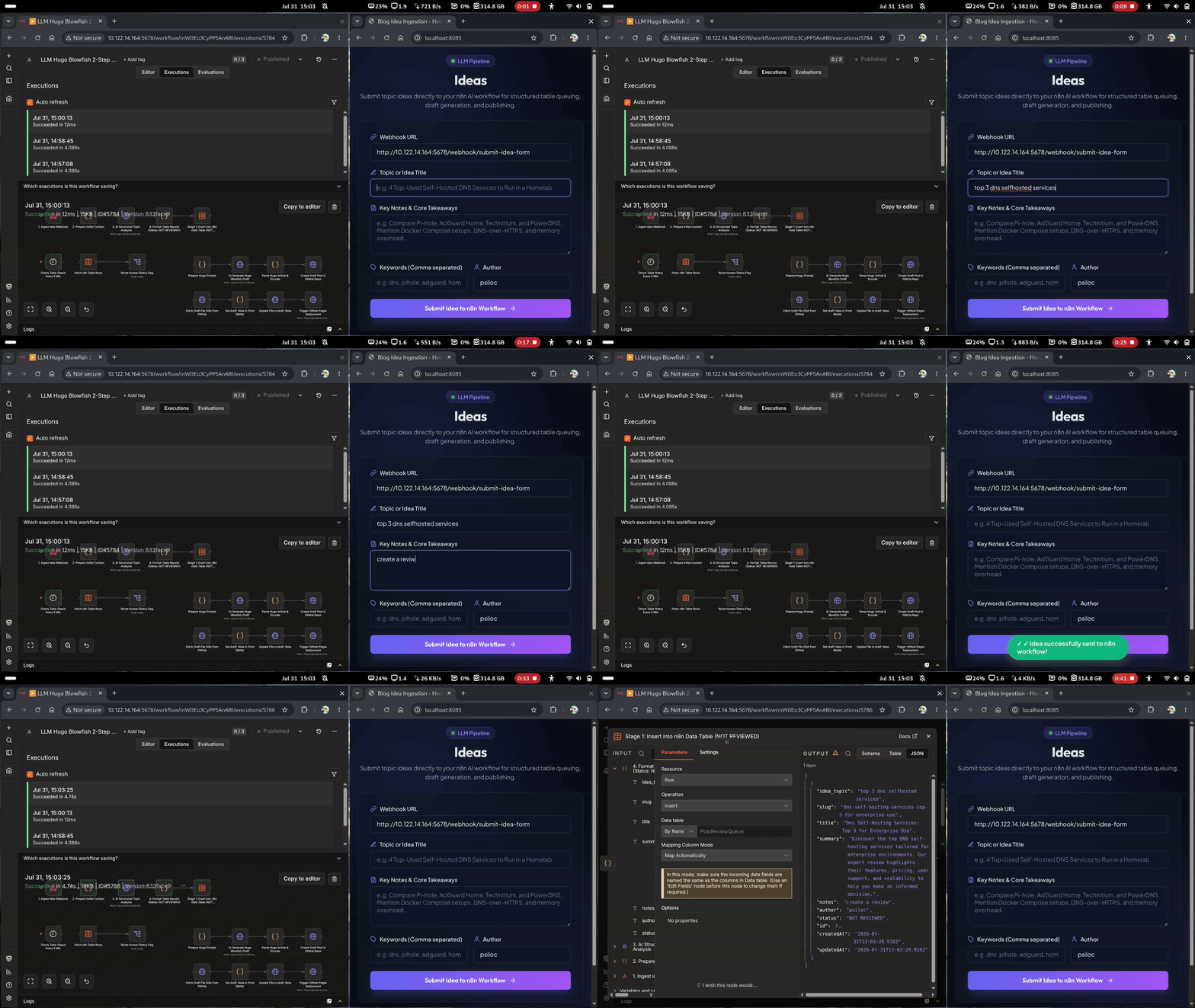
🎬 The Magic in Action#
Before we unpack the engine under the hood, take a look at how seamless submitting an idea is:
🏗️ The 30,000-Foot Architecture#
Why settle for typing markdown files by hand when you can orchestrate containers like a mad scientist? Here is the bird’s-eye view of our setup:
The Content Engine Blueprint
- Frontend App (
frontend/): A lightweight, glassmorphism web UI running inside Docker Compose. - Brain (
n8n/): A self-hosted n8n workflow engine doing the heavy lifting with AI & webhooks. - Publisher (GitHub Actions): Our GitOps deployment pipeline pushing Hugo Blowfish markdown to the world.
🔄 The 9-Step “Don’t Let AI Lose Its Mind” Workflow#
To prevent AI from writing hallucinated fever-dreams directly onto the web, the pipeline breaks down into three distinct stages:
flowchart LR
    subgraph S1 ["💡 Stage 1: Submit"]
        direction TB
        A["🖥️ Frontend Form"] --> B["⚡ n8n Webhook"] --> C["📋 Status: 1_NOT_REVIEWED"]
    end

    subgraph S2 ["🤖 Stage 2: AI Draft"]
        direction TB
        D["👤 Set 2_REVIEWED_OK"] --> E["🤖 AI Writes Post"] --> F["📁 GitHub Draft"]
    end

    subgraph S3 ["🚀 Stage 3: Publish"]
        direction TB
        G["👤 Set 4_PUBLISH_OK"] --> H["⚙️ GitHub Actions"] --> I["🌐 Live Post 🎉"]
    end

    C --> D
    F --> G
Stage 1: The Idea Dump 💡#
When a wild idea pops into your head:
- Fire up the local web app (
http://localhost:8085). - Paste your title, key takeaways, and target keywords.
- Hit Submit Idea to n8n Workflow.
The app fires an HTTP payload to n8n, which structures the prompt and stores it in our review table with status 1_NOT_REVIEWED.
Stage 2: The First Gatekeeper (AI Draft Generation) 🤖#
You review your queued ideas. See one you like? Simply change its status in the table from 1_NOT_REVIEWED to 2_REVIEWED_OK.
n8n immediately catches the status flip:
- It calls our Hugo Blowfish Senior Writer AI.
- The AI drafts complete Markdown with full YAML front matter, shortcodes, and callouts.
- It pushes the file directly to GitHub under
content/post/<slug>/index.mdwithdraft: true. - n8n marks the table status as
DRAFT_READY.
Stage 3: The Second Gatekeeper (One-Click Launch) 🚀#
Now you open GitHub (or your editor), read the AI-generated draft, tweak any technical quirks, and when satisfied:
- Flip the table status from
DRAFT_READYtoPUBLISH_OK. - n8n updates
draft: falseon GitHub. - GitHub Actions takes over and deploys your shiny new post live to the world!
Zero Token Waste (And Pure CPU Endurance): AI generation only runs after you explicitly approve the topic (REVIEWED_OK). No more burning API credits on half-baked ideas you decide to cancel later!
(Besides, why am I even stressing over token burn? I run my local LLM pipeline on a bottom-dollar, ultra-low-budget CPU-only system. In this homelab, inference speed is measured in seconds per token (or minutes per sentence), so time, patience, and speed are completely irrelevant. While my CPU screams in agony at 100% thermal capacity just to output a single comma, at least it’s 100% free! 🐢🔥)

💬 Over to You!#
How many blog post ideas are currently rotting in your phone’s default notes app? Are you brave enough to hand your blog drafting over to a self-hosted n8n pipeline?
Drop your thoughts in the comments below or let me know what homelab workflows you have automated lately!
Check Out More Homelab & Automation Projects