
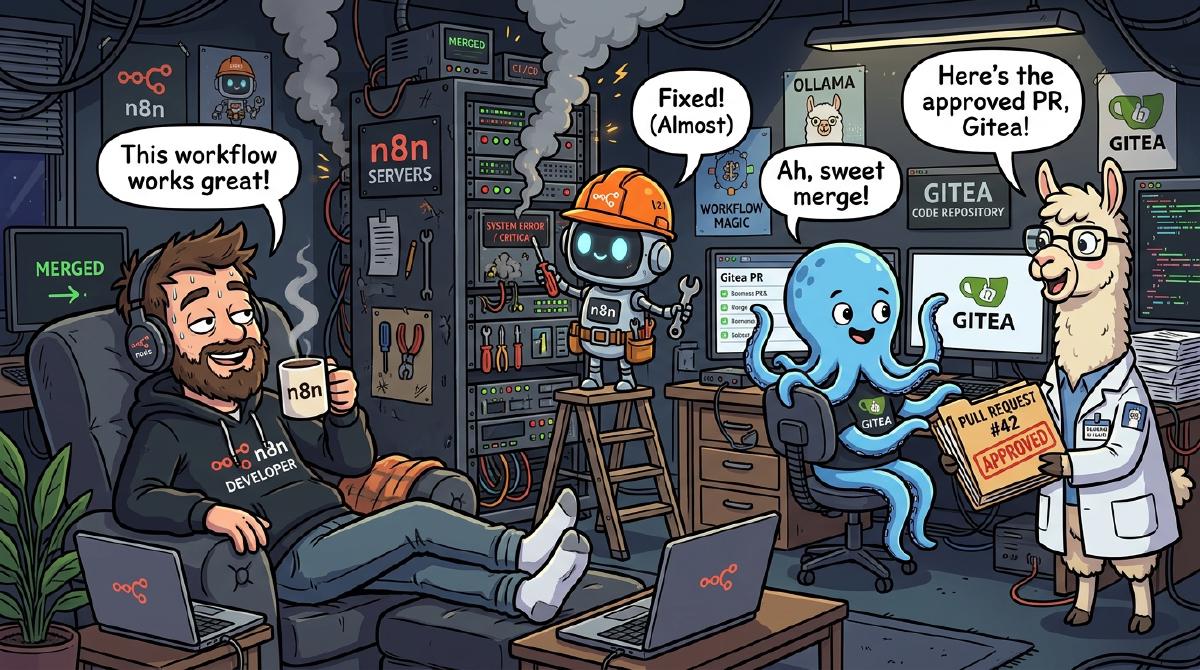
Getting woken up by an alert at 2:15 AM because a container crashed on a port conflict is a rite of passage every DevOps engineer despises.
Standard engineering response: Wake up, open your laptop in the dark, SSH into the host, parse docker logs, realize a memory limit or port mapping is misconfigured, edit the docker-compose.yml, commit the fix, and go back to sleep angry.
Lazy homelab engineering response: Build an automated n8n + Vector + Ollama AI pipeline that catches the crash log, diagnoses the root cause, writes the code patch, creates a Git branch, opens a Pull Request, and pings your phone on Discord so you can click “Merge” without leaving bed.
Here is how I built the SRE Log Triage & Auto-PR Workflow using n8n—the premier open-source workflow automation platform.
1. Why n8n is the Ultimate Tool for AI & SRE Orchestration#
Before looking at the technical nodes, it’s worth highlighting why n8n has become the go-to platform for modern DevOps engineers and automation enthusiasts:
Why Choose n8n?
- Self-Hostable & Source-Available: Keep your logs, API keys, and internal workflows 100% private under your own infrastructure.
- Native AI & LLM Integrations: Seamlessly chain LangChain, local Ollama endpoints, OpenAI, and custom AI agents directly into workflow nodes.
- Extensible Node Ecosystem: Connect 400+ native integrations (Webhooks, Git APIs, Discord, Postgres, Redis) or drop into custom JavaScript/Python code nodes.
- Visual & Code Flexibility: Combine visual node graph editing with custom JSON manipulation and inline expressions.
2. The Goal: Zero-Touch Incident Remediation#
The core philosophy of this workflow is simple: Computers should fix their own configuration mistakes.
When a service crashes or emits critical error logs:
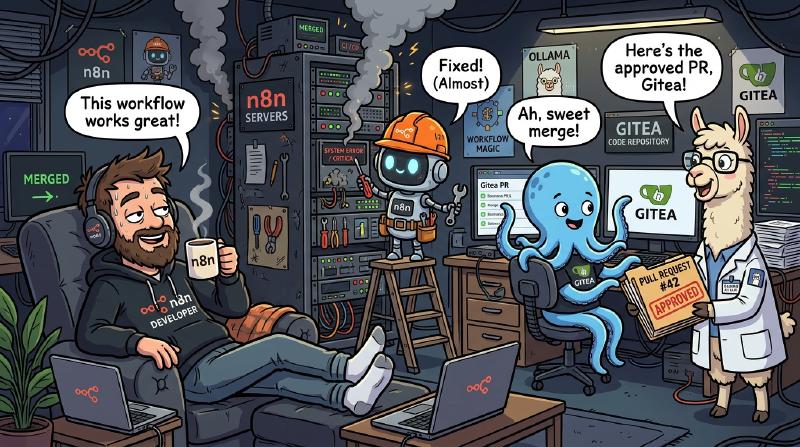
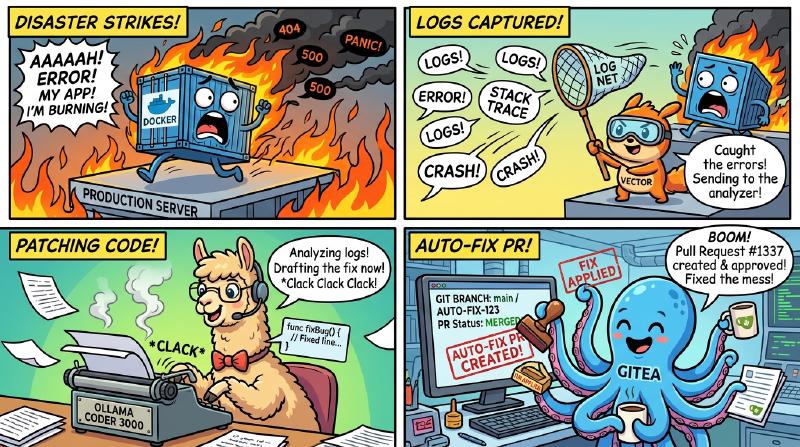
- Vector captures the container log stream and forwards the payload to an n8n Webhook.
- Ollama (
qwen2.5-coder:7b) analyzes the log snippet, identifies the root cause, and decides if it can be auto-remediated (can_auto_fix: true). - n8n queries the Git API to verify no active PR is already open (preventing duplicate PR spam).
- Ollama Code Generator drafts the raw updated configuration file (e.g.
docker-compose.yml). - n8n HTTP Nodes create a new feature branch (
sre-fix/container-timestamp), commit the base64-encoded file fix, and open a Pull Request. - Discord Webhook alerts
#infrastructurewith a direct link to review and merge the PR.
3. Visual Workflow Pipeline#
Here is the exact data flow across the automation stack:
%%{init: {
  'theme': 'base',
  'themeVariables': {
    'darkMode': true,
    'background': '#0b0f19',
    'primaryColor': '#1e293b',
    'primaryTextColor': '#f8fafc',
    'primaryBorderColor': '#38bdf8',
    'lineColor': '#c084fc',
    'secondaryColor': '#0f766e',
    'tertiaryColor': '#831843',
    'clusterBkg': '#0f172a',
    'clusterBorder': '#334155',
    'titleColor': '#38bdf8',
    'edgeLabelBackground': '#0f172a',
    'fontFamily': 'inter, system-ui, sans-serif'
  }
}}%%
flowchart LR
    classDef vectorStyle fill:#1e293b,stroke:#0ea5e9,stroke-width:2px,color:#fff;
    classDef n8nStyle fill:#0f172a,stroke:#8b5cf6,stroke-width:2px,color:#fff;
    classDef aiStyle fill:#18181b,stroke:#ec4899,stroke-width:2px,color:#fff;
    classDef giteaStyle fill:#18181b,stroke:#10b981,stroke-width:2px,color:#fff;
    classDef discordStyle fill:#18181b,stroke:#f59e0b,stroke-width:2px,color:#fff;

    subgraph LogStream ["📦 Container Log Capture"]
        Vector["⚡ Vector Log Sink"]
    end

    subgraph Orchestrator ["⚙️ n8n Engine (n8n.io)"]
        Webhook["Webhook Listener"]
        Dedupe["If (Can Fix & No Duplicate PR?)"]
    end

    subgraph AIEngine ["🦙 Local Ollama LLM"]
        Triage["🧠 Ollama Triage\n(qwen2.5-coder)"]
        FixGen["📝 Ollama Code Fixer"]
    end

    subgraph GitOps ["🐙 Git Repository"]
        CheckPR["🔍 List Open PRs"]
        Branch["🌿 Create Branch"]
        Commit["💾 Commit Base64 File"]
        CreatePR["🔀 Open Pull Request"]
    end

    subgraph Alerting ["💬 Notification"]
        Discord["📢 Discord Embed Alert"]
    end

    Vector --> Webhook
    Webhook --> Triage
    Triage --> CheckPR
    CheckPR --> Dedupe
    Dedupe -->|Yes| FixGen
    FixGen --> Branch
    Branch --> Commit
    Commit --> CreatePR
    CreatePR --> Discord
    Dedupe -->|No / Skip| Discord

    class Vector vectorStyle;
    class Webhook,Dedupe n8nStyle;
    class Triage,FixGen aiStyle;
    class CheckPR,Branch,Commit,CreatePR giteaStyle;
    class Discord discordStyle;
4. Deep-Dive: How n8n Instructs Ollama qwen2.5-coder#
The secret to getting reliable code patches from a local LLM is strict JSON output enforcement. In n8n, the initial HTTP Request node sends a zero-shot system prompt to Ollama:
Ollama Triage System Prompt: You are a Linux SRE assistant. Analyze Docker container error logs. Output strictly valid JSON with keys:
service(string)root_cause(string)suggested_action(string)can_auto_fix(boolean)target_file(string)patch_summary(string)
Do not output markdown.
Sample JSON Output from Ollama:#
{
  "service": "uptime-kuma",
  "root_cause": "Port conflict on 3001: address already in use by runner process",
  "suggested_action": "Change exposed host port from 3001 to 3002 in docker-compose.yml",
  "can_auto_fix": true,
  "target_file": "services/docker_opt/uptime-kuma/docker-compose.yml",
  "patch_summary": "Rebind host port to 3002 to resolve container ingress collision"
}
5. The Git Auto-PR Pipeline in n8n#
Once Ollama confirms can_auto_fix = true and n8n verifies no duplicate PR exists, the workflow chains three HTTP REST API calls directly to Git:
- Create Branch Node:
POST /api/v1/repos/homelab/branches { "new_branch_name": "sre-fix/uptime-kuma-1785608295", "old_branch_name": "main" } - Commit File Fix Node:
The generated patch from
qwen2.5-coderis converted to base64 on the fly inside n8n:// n8n base64 encoding expression content: $node['HTTP Request (Ollama Fix Generator)'].json.response.base64Encode() - Create Pull Request Node: Opens a PR complete with root cause analysis, markdown formatted code diffs, and direct links!
6. What the Discord Notification Looks Like#
When the n8n workflow finishes, #infrastructure receives a clean Discord embed:
🚨 Container Incident: uptime-kuma
- Image:
louislam/uptime-kuma:1 - Ollama Diagnosis: Port 3001 collision with host daemon process.
- Recommended Action:
Rebind host port to 3002 in services/docker_opt/uptime-kuma/docker-compose.yml - Auto-Remediation PR:
[View New Automated PR #42]
7. Final Thoughts: Build Your Own Workflows with n8n#
By chaining Vector, n8n, and Ollama, we turned a frustrating manual incident response into a seamless automated GitOps PR pipeline.
Now, when a container crashes, I don’t even open a terminal—I open the PR on my phone, review the AI-generated code patch, click Merge Pull Request, and watch the CI/CD pipeline deploy the fix automatically.
Get Started with n8n Workflow AutomationReady to Automate Your Infrastructure?#
Whether you’re building automated incident response, LLM agents, or data integration pipelines, n8n gives you the speed of visual building with the power of full code execution.
What’s your favorite n8n automation workflow? Share your ideas and workflows in the comments below!