
Most normal human beings buy a single-bay Synology NAS, plug it into their router, copy their family photos over, and call it a day.
Then there are homelab enthusiasts.
We look at a simple home network and think: “You know what this single-bedroom apartment really needs? A three-node high-availability baremetal Proxmox hypervisor cluster, enterprise-grade OPNsense firewalling, automated GitOps CI/CD pipelines, local AI LLM orchestration, and 1Password-vaulted Ansible playbooks.”
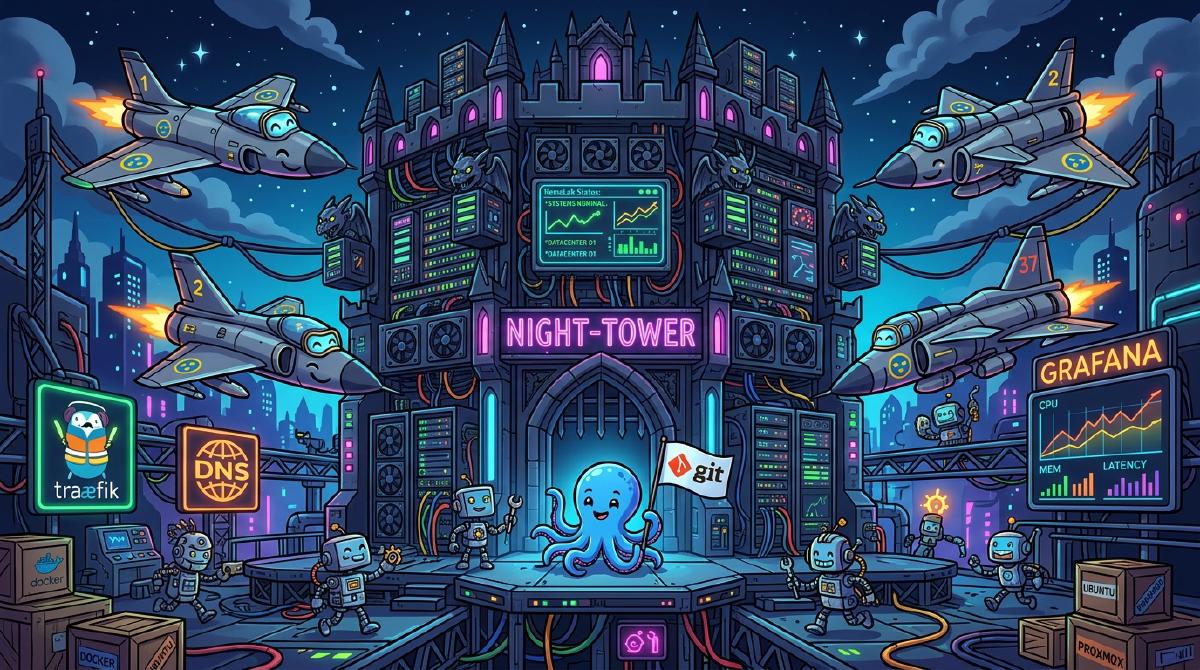
Welcome to Night-Tower—the homelab where enterprise-grade architecture meets absurd levels of over-engineering.
1. The Hardware Infrastructure: Swedish Fighter Jets in a Rack#
At the core of the Night-Tower computing empire lies squad: a 3-node Proxmox VE 8.x baremetal cluster. Because standard hostname conventions like node-01 or server-alpha are soul-crushingly boring, the cluster is named exclusively after legendary Swedish Cold War fighter jets:
lansen(Node 01): Named after the Saab 32 Lansen. Primary hypervisor handling core Docker compute workloads.draken(Node 02): Named after the iconic double-delta Saab 35 Draken. Dedicated host for local AI model inference.viggen(Node 03): Named after the delta-wing Saab 37 Viggen. Orchestrating automation workflows and redundant VM compute.

Alongside the supersonic Proxmox triad sits synology-nas, providing high-throughput NFS and SMB storage backings for media backups, persistent container volumes, and data archiving.
2. Network Topology & Ingress Security#
You don’t just “connect to Wi-Fi” at Night-Tower. Traffic passes through multiple security perimeters before it even reaches a container:
%%{init: {
  'theme': 'base',
  'themeVariables': {
    'darkMode': true,
    'background': '#0b0f19',
    'primaryColor': '#1e293b',
    'primaryTextColor': '#f8fafc',
    'primaryBorderColor': '#38bdf8',
    'lineColor': '#c084fc',
    'secondaryColor': '#0f766e',
    'secondaryTextColor': '#ffffff',
    'tertiaryColor': '#831843',
    'clusterBkg': '#0f172a',
    'clusterBorder': '#334155',
    'titleColor': '#38bdf8',
    'edgeLabelBackground': '#0f172a',
    'fontFamily': 'inter, system-ui, sans-serif'
  }
}}%%
flowchart LR
    classDef edgeStyle fill:#1e293b,stroke:#0ea5e9,stroke-width:2px,color:#fff;
    classDef coreStyle fill:#0f172a,stroke:#8b5cf6,stroke-width:2px,color:#fff;
    classDef aiStyle fill:#18181b,stroke:#ec4899,stroke-width:2px,color:#fff;
    classDef storageStyle fill:#18181b,stroke:#f59e0b,stroke-width:2px,color:#fff;

    subgraph Edge ["🌐 Edge & Remote Ingress"]
        Users["👤 External User"]
        Cloudflare["☁️ Cloudflare WAF & Tunnels"]
        Tailscale["🔒 Tailscale Mesh VPN"]
    end

    subgraph Perimeter ["🛡️ Network Security"]
        OPNsense["🔥 OPNsense Firewall"]
        Technitium["🌐 Technitium DNS"]
    end

    subgraph Cluster ["🏰 Night-Tower Proxmox Compute Engine"]

        subgraph DockerVM ["🐳 docker (VM 100)"]
            Traefik["🚥 Traefik v3.6 Proxy"]
            Gitea["🐙 Gitea & Actions Runner"]
            Homepage["📊 Homepage & Uptime Kuma"]
        end

        subgraph AutomationVM ["⚙️ n8n (VM 101)"]
            n8n["⚡ n8n Workflow Engine"]
            Patchmon["🛡️ Patchmon & MCP Jungle"]
        end

        subgraph AILXC ["🦙 ollama (LXC)"]
            Ollama["🧠 Ollama LLM Engine"]
        end

        subgraph NAS ["📦 Synology NAS"]
            Storage[("💾 NFS / SMB Storage")]
        end
    end

    Users --> Cloudflare
    Users --> Tailscale
    Cloudflare -->|Cloudflare Tunnel| Traefik
    Tailscale --> OPNsense
    OPNsense --> Technitium

    Traefik --> Homepage
    Traefik --> Gitea
    Traefik --> n8n

    n8n --> Ollama
    n8n --> Patchmon
    DockerVM --> Storage

    class Cloudflare,Tailscale,Users edgeStyle;
    class OPNsense,Technitium,Traefik,Gitea,Homepage coreStyle;
    class n8n,Ollama,Patchmon aiStyle;
    class Storage storageStyle;
Ingress & Resolution Highlights:#
- Gateway & Firewall: OPNsense managing local subnets and strict firewall policy logic.
- Local DNS Resolution: Technitium DNS acting as authoritative local DNS for internal domains (
night-tower.local). - Edge Reverse Proxy: Traefik v3.6 with automated Cloudflare DNS-01 ACME wildcard SSL certificate generation (
*.night-tower.net). - Remote Access: Encrypted Tailscale Mesh VPN (see my comprehensive Mesh VPN comparison guide) combined with Cloudflare Tunnels.
3. Container Ecosystem & Workload Distribution#
The workload division across guest compute nodes is engineered for maximum reliability and minimum clutter:
Compute Host Breakdown:
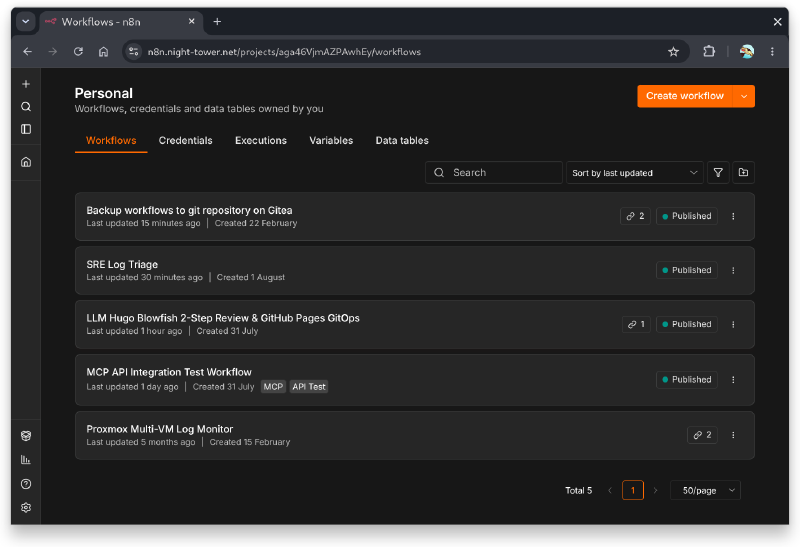
dockerVM (VMID 100): Traefik v3.6, Gitea Git Server & Runner, Technitium DNS, Homepage, Uptime Kuma, Grafana/Prometheus (monitor), Checkmk, Hermes Agent, Cloudflared.n8nVM (VMID 101): n8n AI Workflow Engine, Patchmon security patch tracking, MCP Jungle.ollamaLXC (Container): Systemd-managedollama.serviceserving local LLMs (qwen2.5,llama3.2).
The Core Service Suite#
| Service | Host | Role in the Ecosystem |
|---|---|---|
| Edge Traefik v3.6 | docker | Reverse proxy, TLS termination, path routing |
| DNS Technitium DNS | docker | Local DNS server with ad-blocking & custom zones |
| GitOps Gitea & Runner | docker | Self-hosted code repository & CI/CD pipeline engine |
| Monitoring Uptime Kuma | docker | Ping monitoring to send alerts the moment a service blinks |
| AI Workflows n8n Engine | n8n | Visual automation node editor executing agent workflows |
| LLM Inference Ollama AI | ollama | Local GPU/CPU LLM server running Qwen2.5 and Llama3.2 |
| Dashboard Homepage | docker | Aesthetic dark-mode dashboard for instant service access |
4. The AI & Automation Control Room#
Night-Tower isn’t just static infrastructure—it has a mind of its own.
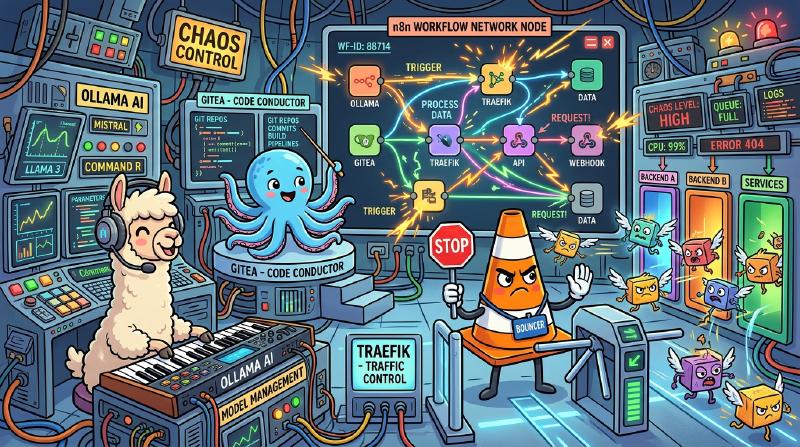
By pairing n8n with local Ollama LLMs (qwen2.5, llama3.2), MCP Jungle (Model Context Protocol bridge), and Hermes Agent, the homelab can execute autonomous tasks, process webhooks, and perform automated code reviews.
5. GitOps Pipeline & Secret Management#
There are no manual SSH logins or hand-edited config files allowed in Night-Tower. Everything is managed via Infrastructure as Code (IaC) using Ansible and Gitea Actions (see how I built this in my guide on Standardizing Homelab IaC with Ansible & Zero-Trust VLANs).
%%{init: {
'theme': 'base',
'themeVariables': {
'darkMode': true,
'background': '#0b0f19',
'primaryColor': '#1e293b',
'primaryTextColor': '#f8fafc',
'primaryBorderColor': '#a855f7',
'lineColor': '#38bdf8',
'actorBkg': '#1e1b4b',
'actorBorder': '#6366f1',
'actorTextColor': '#e0e7ff',
'actorLineColor': '#818cf8',
'signalColor': '#38bdf8',
'signalTextColor': '#f8fafc',
'labelBoxBkgColor': '#0f172a',
'labelBoxBorderColor': '#334155',
'labelTextColor': '#38bdf8',
'fontFamily': 'inter, system-ui, sans-serif'
}
}}%%
sequenceDiagram
autonumber
actor Admin as 👨💻 Homelab Admin
participant Git as 🐙 Gitea Repo (night-tower/homelab)
participant Runner as ⚙️ Gitea Actions Runner
participant Vault as 🔐 1Password Vault
participant Hosts as 🏰 Proxmox & Compute Hosts
participant Discord as 💬 Discord (#night-tower)
Admin->>Git: git push origin main
Git->>Runner: Trigger GitOps Workflow (.gitea/workflows/gitops.yml)
Runner->>Runner: Run ansible-lint & syntax checks
Runner->>Vault: Resolve op://"Vault"/... Secrets
Vault-->>Runner: Return ephemeral, in-memory tokens
Runner->>Hosts: Execute ansible-playbook site.yml -i inventory.yaml
Hosts-->>Runner: Playbook Success (0 failures)
Runner->>Discord: Push Health Status Report
GitOps Execution Principles:#
- Pull Request Validation: Every PR automatically runs
ansible-lint, playbook syntax verification, and dry-run execution checks (--check). - Zero Hardcoded Secrets: Secrets are fetched at runtime from 1Password via
op://reference strings. Secrets never touch disk or git history. - Targeted Deployments: Playbooks target specific hostgroups (
--limit docker_vms,--limit hypervisors,--limit ai_hosts) to minimize blast radius. - Automated Health Broadcasts: Post-deployment reports are formatted and pushed directly to the
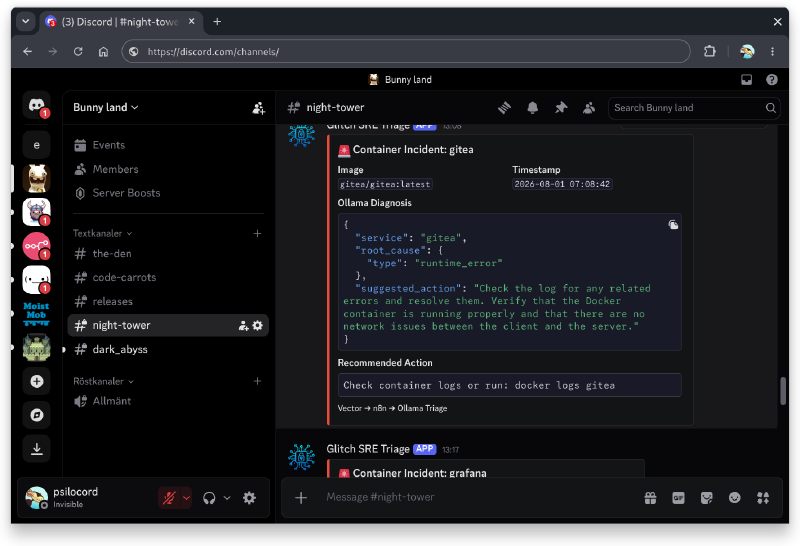
#night-towerDiscord channel via automated scripts.
6. Why Build Night-Tower?#
Could I have run a few services on a single Raspberry Pi? Yes.
Would that have given me an excuse to deploy a 3-node fighter-jet-themed Proxmox cluster, write custom eBPF kernel monitors, orchestrate local AI LLMs, and build an automated GitOps CI/CD pipeline? Absolutely not.
Homelabbing isn’t about doing things the easy way—it’s about building a mini enterprise data center in your closet because you can.
What’s Your Homelab Tech Stack?#
View Night-Tower ArchitectureDo you name your servers after aircraft, mythical beasts, or Greek gods? What’s the most ridiculously over-engineered part of your homelab? Drop your specs and hostnames in the comments below!