
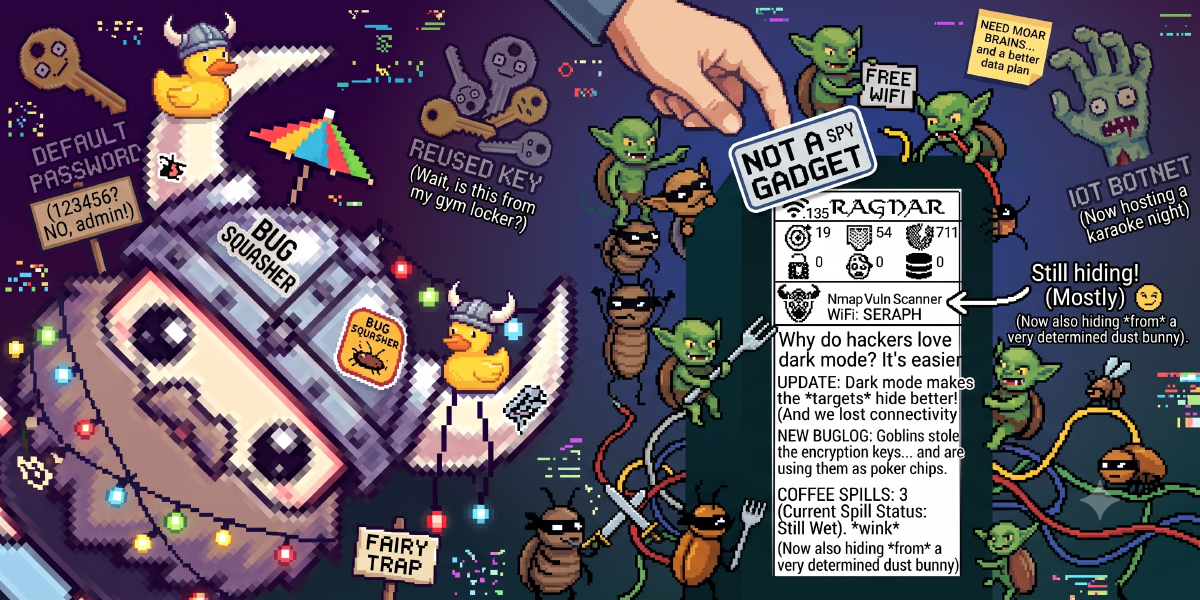
Portable hacking gadgets are having a massive moment, and if you loved the cyber-companion vibes of the Pwnagotchi, it is time to meet its network-probing successor.
Enter Ragnar (by developer PierreGode)—a fully autonomous, network-scanning, service-mapping, wardriving powerhouse built for the Raspberry Pi and paired with a high-contrast Waveshare e-paper display.
The Backstory: Ragnar, Father of Bjorn#
If you have kept tabs on the DIY hardware hacking scene, you have likely run into Bjorn—an autonomous scanning tool that gained massive popularity for its portability.
However, Bjorn eventually suffered from dependency rot and lack of updates, making it a nightmare to install on modern operating systems.
Pierre Gode stepped in to fork, rebuild, and completely modernize the project. Aptly named Ragnar (the legendary Norse hero and father of Björn Ironside), this tool features a clean, modernized codebase compatible with the latest 64-bit Raspberry Pi OS, offering a highly stable, extensible platform for field reconnaissance.
Hardware Setup: Pocket Recon on a Budget#
Building a Ragnar is incredibly simple and highly cost-effective. Here is the exact hardware stack we used for our review setup:
- SBC: Raspberry Pi Zero 2 W amazon
- Display: Waveshare 2.13-inch e-Paper HAT amazon
- GPS Module: VK-162 USB GPS Receiver amazon
- Storage: SanDisk 32GB Extreme MicroSD amazon
Assembly is strictly plug-and-play: stack the Waveshare display onto the Pi’s GPIO pins, burn the latest OS image, and clone the repository. The e-ink display is sunlight-readable and draws power only when refreshing, maximizing your battery life in the field.
Under the Hood: Adaptive Pentesting#
One of Ragnar’s most impressive engineering features is its adaptive scaling architecture.
Unlike its predecessor, Ragnar automatically adjusts its scanning intensity and active tools based on the host system’s resources:
Hands-On Performance & Wardriving#
During our tests on the Pi Zero, Ragnar ran completely autonomously. Once booted, it immediately starts sniffing the Wi-Fi spectrum, collecting nearby SSIDs, identifying encryption types (WPA2/WPA3), and logging GPS coordinates (if a USB GPS module is attached) for wardriving maps.
When connected to a target LAN (either via USB ethernet gadget mode or Wi-Fi client connection), Ragnar runs passive packet analysis to map out the network structure, identify host operating systems, and check for open ports.
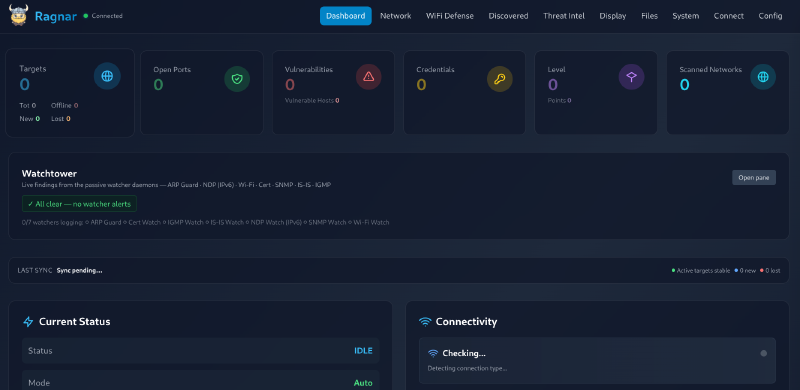
The e-ink screen displays real-time statistics, including active target IPs, open port counts, wardriving progress, and system metrics (CPU/RAM). When you need to review the results or control Ragnar manually, you can log into its responsive web UI from your phone or laptop.
Pros & Cons#
The Good#
- Sunlight-Readable Display: The e-paper screen is extremely low-power and easy to read outdoors.
- Modern OS Support: Full compatibility with modern 64-bit Raspberry Pi OS.
- Extensible Architecture: Scales smoothly from a tiny Pi Zero to a full-sized pentest server.
- Active Development: Regularly maintained with bugs fixed promptly by Pierre Gode.
The Bad#
- E-Paper Refresh Lag: Typical for e-ink screens; it takes a second or two to refresh the UI.
- Pi Zero Limitations: The single-core CPU and 512MB RAM limit Ragnar to baseline scanning (no heavy vulnerability engines).
The Verdict#
If you have a spare Raspberry Pi Zero and a Waveshare e-ink screen lying around, installing Ragnar is a no-brainer. It breathes new life into the autonomous hacking companion concept, replacing outdated dependencies with a fast, modern, and reliable reconnaissance engine.
Visit Ragnar on GitHubWhat’s your take?#
Have you built a Ragnar or its predecessor Bjorn? What modules or hardware modifications are you running? Let’s discuss in the comments below!