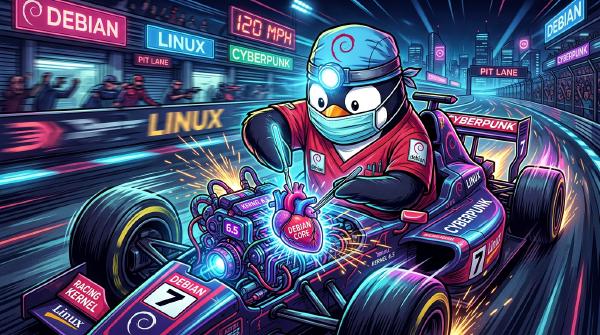
The HA Sysadmin's Dilemma No-Reboot Zone Security Officer: “A critical CVSS 9.8 vulnerability was found in the kernel network stack! We must reboot all 12 HA Debian nodes immediately!”
HA Cluster Engineer: “If I reboot Node 01 right now, Pacemaker will migration-fence Node 02, 14,000 active WebSocket streams will die, and the database cluster will enter a split-brain existential crisis. I will patch it live or die trying.”
Enter Linux Kernel Livepatching (klp): The black magic of hot-swapping kernel C code in RAM without dropping a single packet or restarting a system service.
Picture this: It’s 2:15 PM on a Friday. You are monitoring your pristine 4-node Debian High Availability cluster handling live production traffic. You’re sitting back, enjoying a cold iced tea, when a red banner flashes across your terminal:
[ CRITICAL SECURITY ALERT ] CVE-2026-9999: Remote Code Execution in kernel net/ipv4/ [ MITIGATION REQUIRED ] Upgrade kernel vmlinuz or apply patch immediately. In a non-HA world, you run sudo apt upgrade && sudo reboot, stretch your legs, and wait three minutes.
In a Debian HA world (think Corosync, Pacemaker, Proxmox VE clusters, or high-throughput Docker/K8s ingress nodes), typing reboot is equivalent to pulling the pin on a flashbang in a quiet library. Corosync heartbeats miss a pulse, quorum timers panic, Virtual IPs start bouncing around like ping-pong balls, and three regional database replicas begin arguing over who is the real primary master.
So how do you fix a gaping hole in the operating system’s brain without shutting it off?
You perform open-heart surgery at 120 MPH. Welcome to Kernel Livepatching (klp).
The 30-Second Maintenance Promise TL;DR Worried that updating your Debian 13 client will take all weekend?
Keeping your workstation or server patched is literally a 2-command affair:
sudo apt update && sudo apt install linux-image-amd64 && sudo reboot That’s it! Read on to learn how to check your exact kernel version and verify your system against official security tracker records in under two minutes.
Lazy sysadmin tip: Want your machine to fetch security patches automatically while you sleep? Check out the official guide on setting up Debian UnattendedUpgrades.
It is a quiet Sunday morning. Your Night-Tower homelab is idling gracefully, CPU temperatures are at a cool 32°C, and you are admiring a pristine 214-day uptime counter on your primary Debian host. You take a triumphant sip of warm coffee, open your browser, and glance at the security security tracker.
Then it hits you like a rogue DMA packet: a flurry of CVE security fixes just dropped for Debian 13 (Trixie) in kernel package linux-image-6.12.100+deb13-amd64.
[ ALERT ] CVE-2026-XXXX: Local Privilege Escalation via obscure subsystem [ ALERT ] CVE-2026-YYYY: Out-of-bounds memory write when handling malformed packets [ STATUS ] Fixed in linux version 6.12.100+deb13-1 Suddenly, your beloved uptime counter feels less like a badge of honor and more like an open invitation to cosmic chaos. But don’t panic! Upgrading your kernel and double-checking your security status against Debian’s official security tracker is quick, painless, and completely survival-approved.
Here is your ultra-simple, funny survival guide to staying secure on Debian 13 Trixie.
Is it treason or enlightenment? A veteran Linux SRE explains why he finally surrendered to Windows 11 after two decades of kernel panics and dotfile maintenance.
Self-hosting your automation is the ultimate way to maintain data privacy, gain unlimited execution runs, and bypass Zapier’s costly subscription tiers. Here is a complete guide to installing and running n8n.io on an Ubuntu server.
If you are running the Steam client on Debian (or other Linux distros) and the user interface is flickering like a broken neon sign, you aren’t alone. Fortunately, the fix takes less than thirty seconds.